✓ Core training works offline. No account required.
Pro See a progression opportunity in context.
Actual app screens. Sample training data.
Steady evolution. One workout at a time.
Stedevo takes its name from steady evolution: showing up, recording the work, and learning from it. Each session gives you more context for the next.
Built around your training
From the first set to the bigger picture.
01 / Workout Memory
Pick up where you left off.
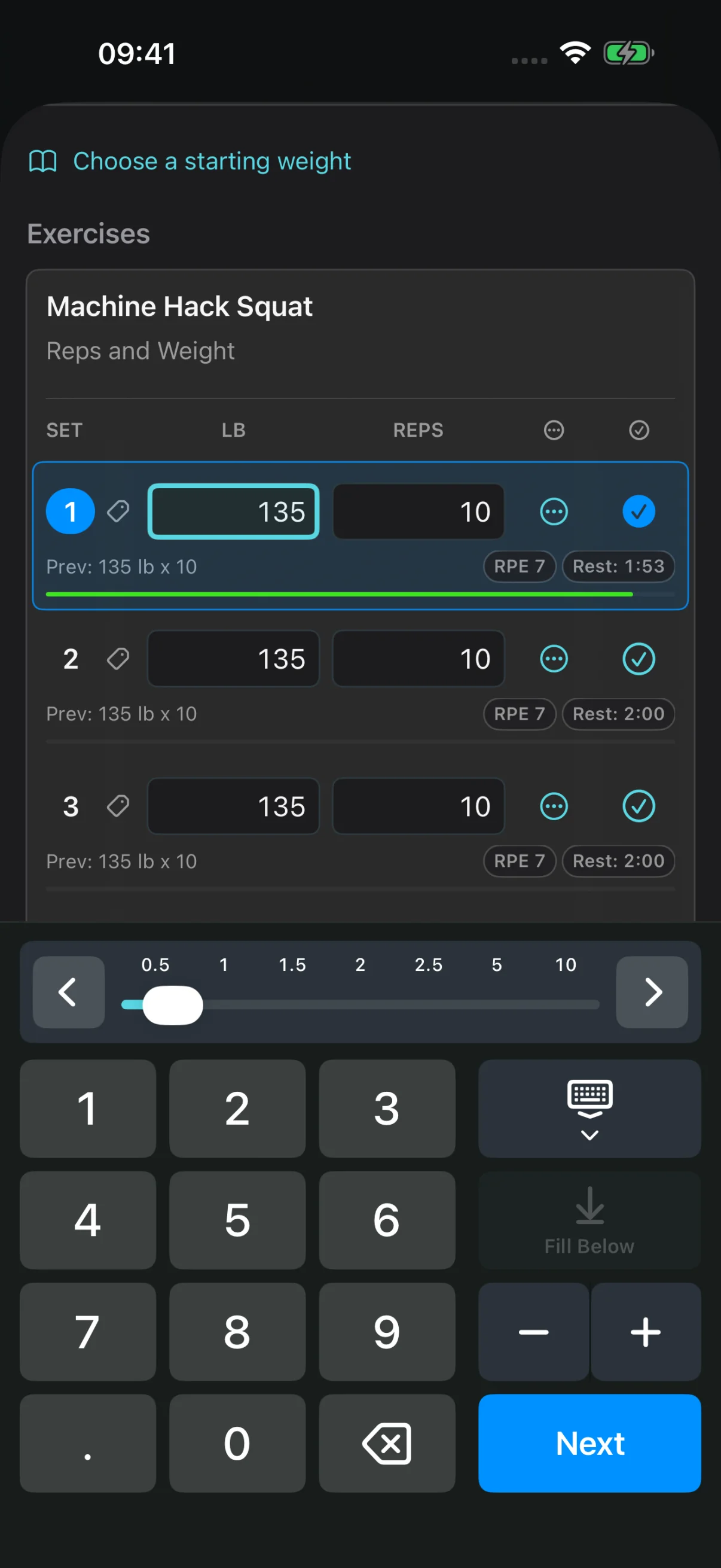
See your previous performance as you log, with eligible routine sets filled from their last completed results. Spend less time remembering numbers between sets.
Fast Set Entry keeps logging close at hand.
A Rest Timer helps you stay in your rhythm.
Exercise Reminders carry useful cues into your next session.
Your previous sets, right where you need them.
02 / Starter Programs & Routine Builder
Start with a plan. Make it your own.
Choose an included program, build your own routines and splits, or start a Quick Workout when the day calls for flexibility.
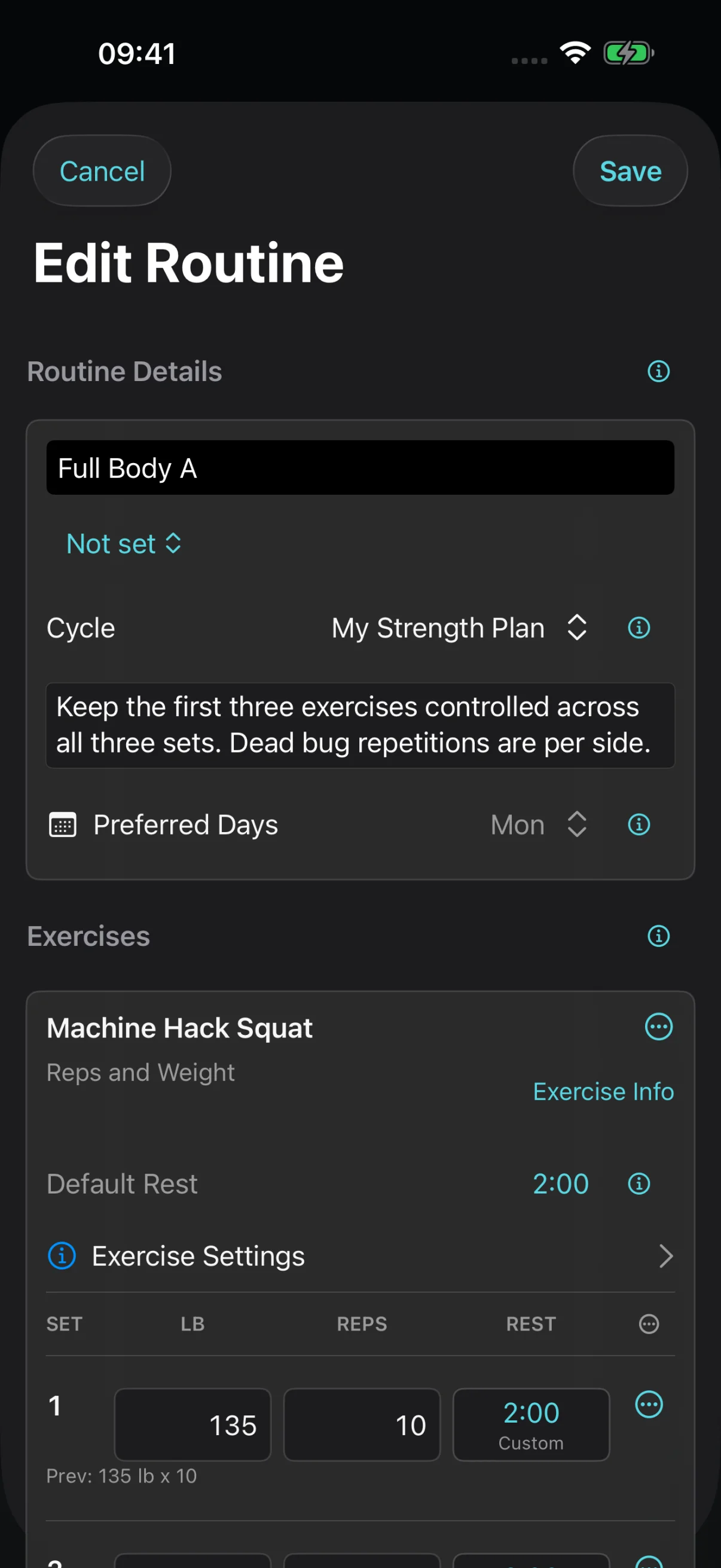
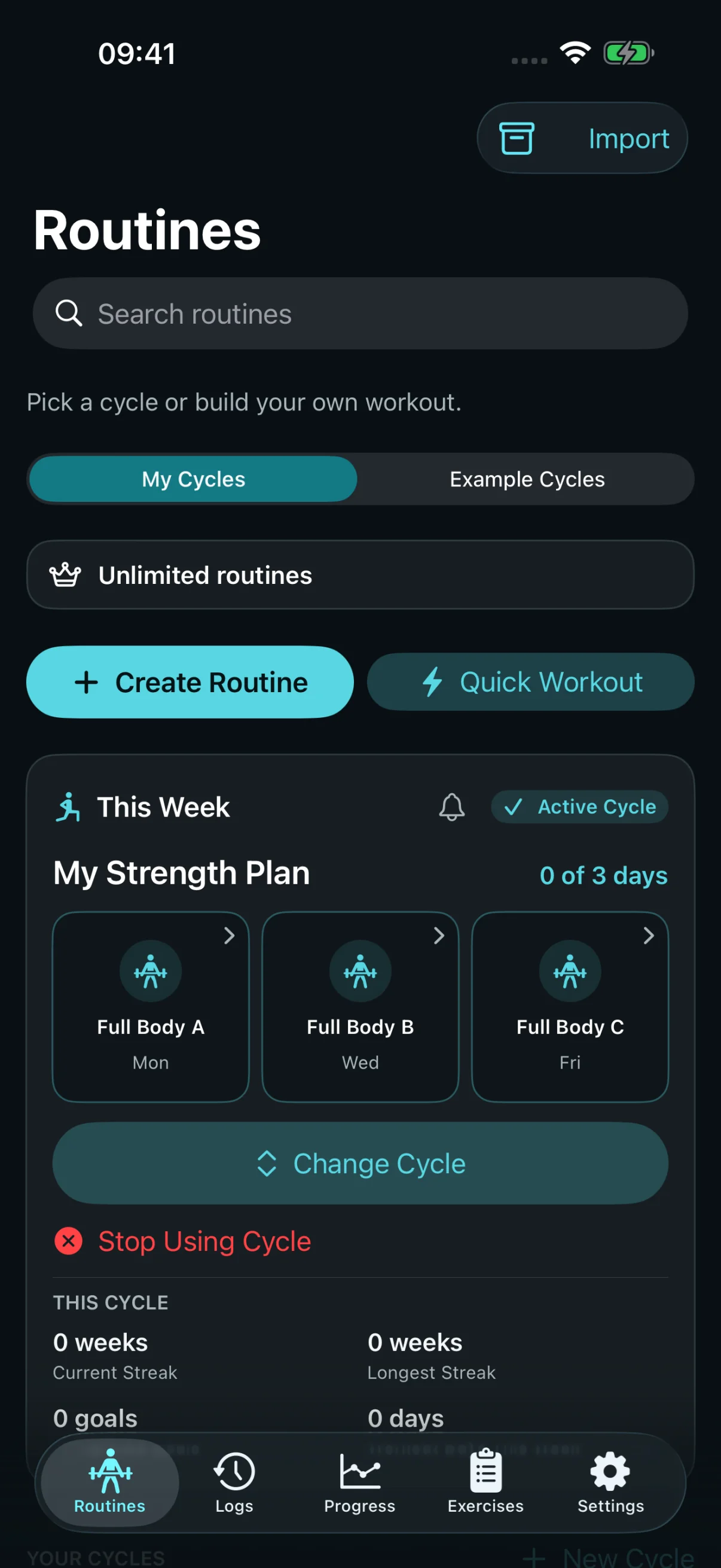
Create a routine from the Routines section or while planning a split. In the same flow, keep it on its own, add it to an existing split, or create a new split. After saving, find it in the place you chose.
Five Starter Programs to put into practice.
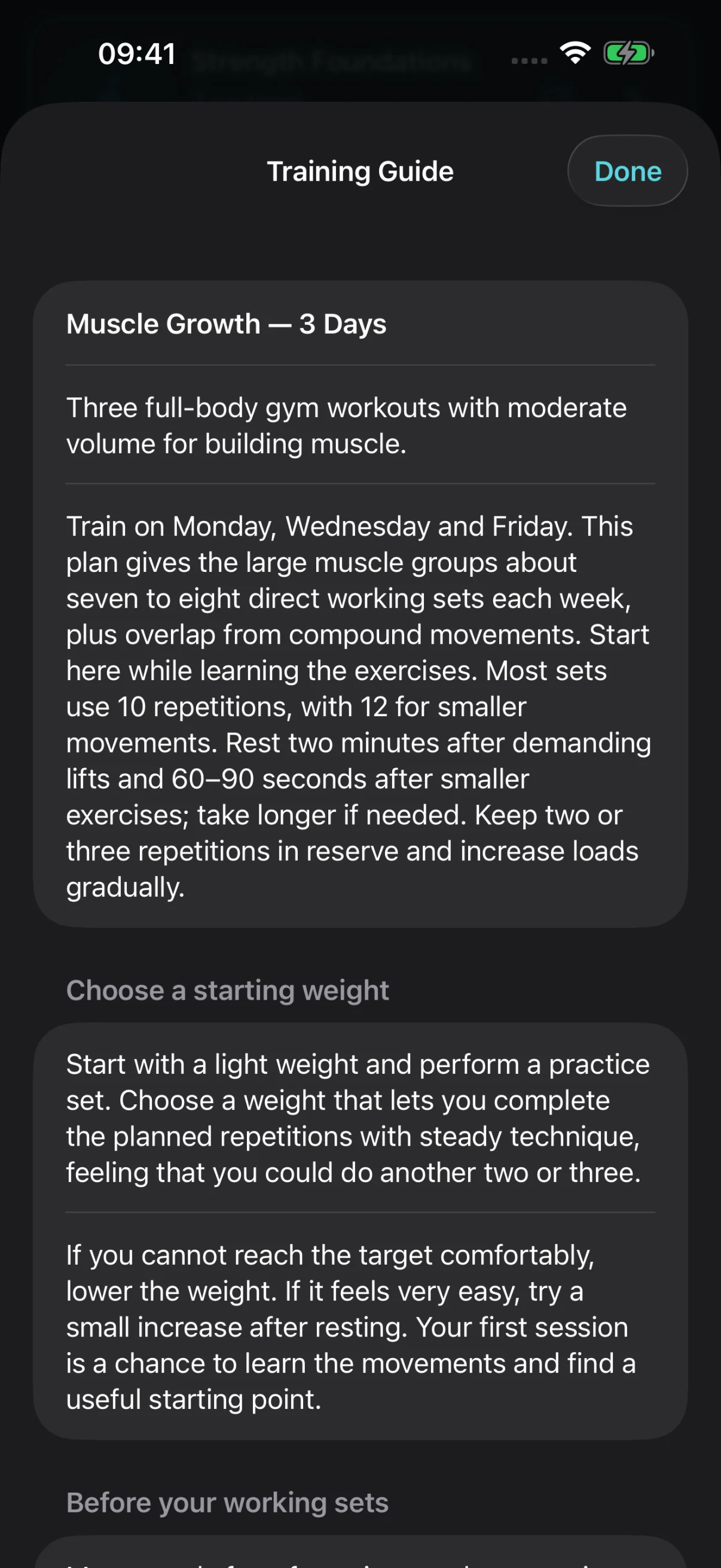
Exercise setup instructions and a Training Guide.
Choose which session changes become Routine Updates.
See the routine editor ↗ Shape a routine around your plan. See a Starter Program’s Training Guide ↗ Start with a program. Make it yours.
Your routines, organized in one place.
03 / Training Intelligence Pro guidance
Give your next decision some context.
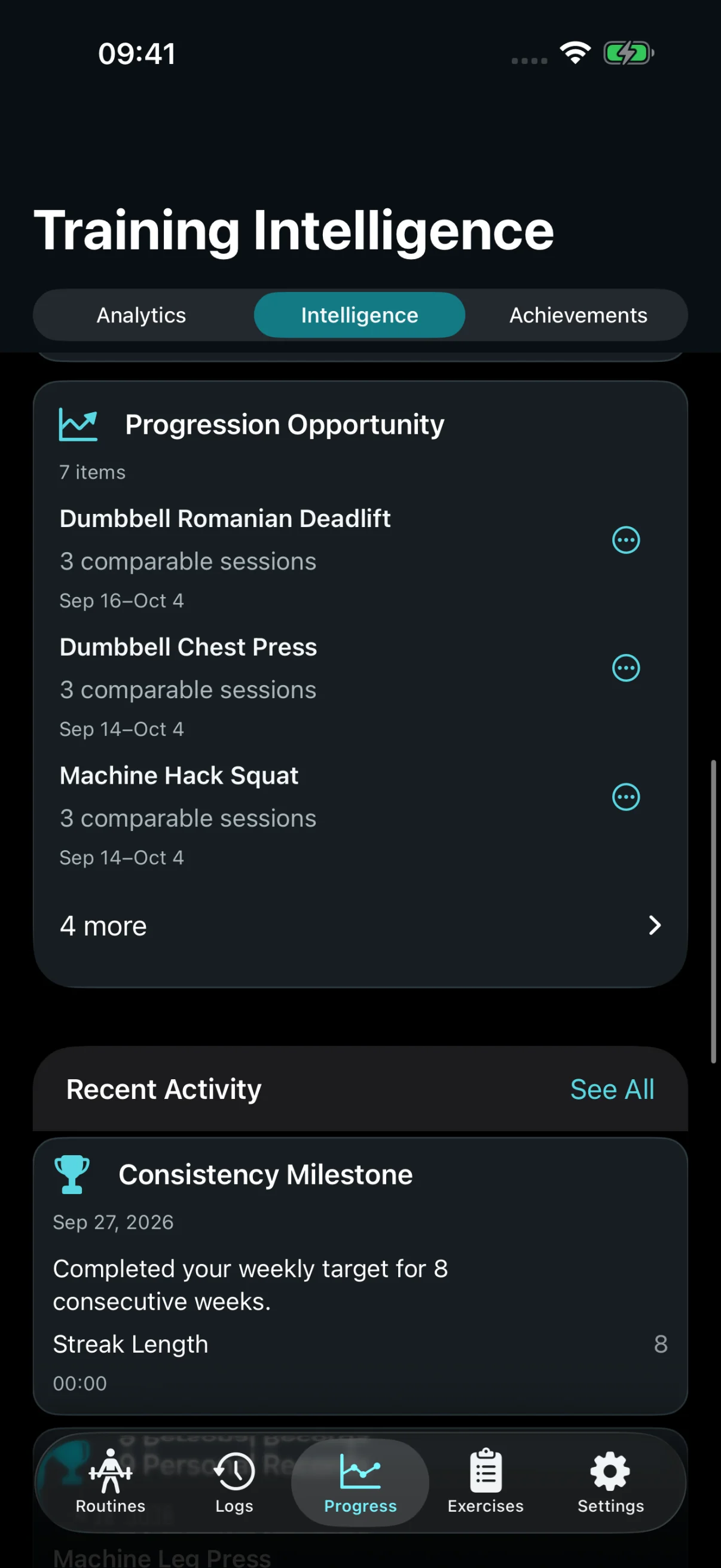
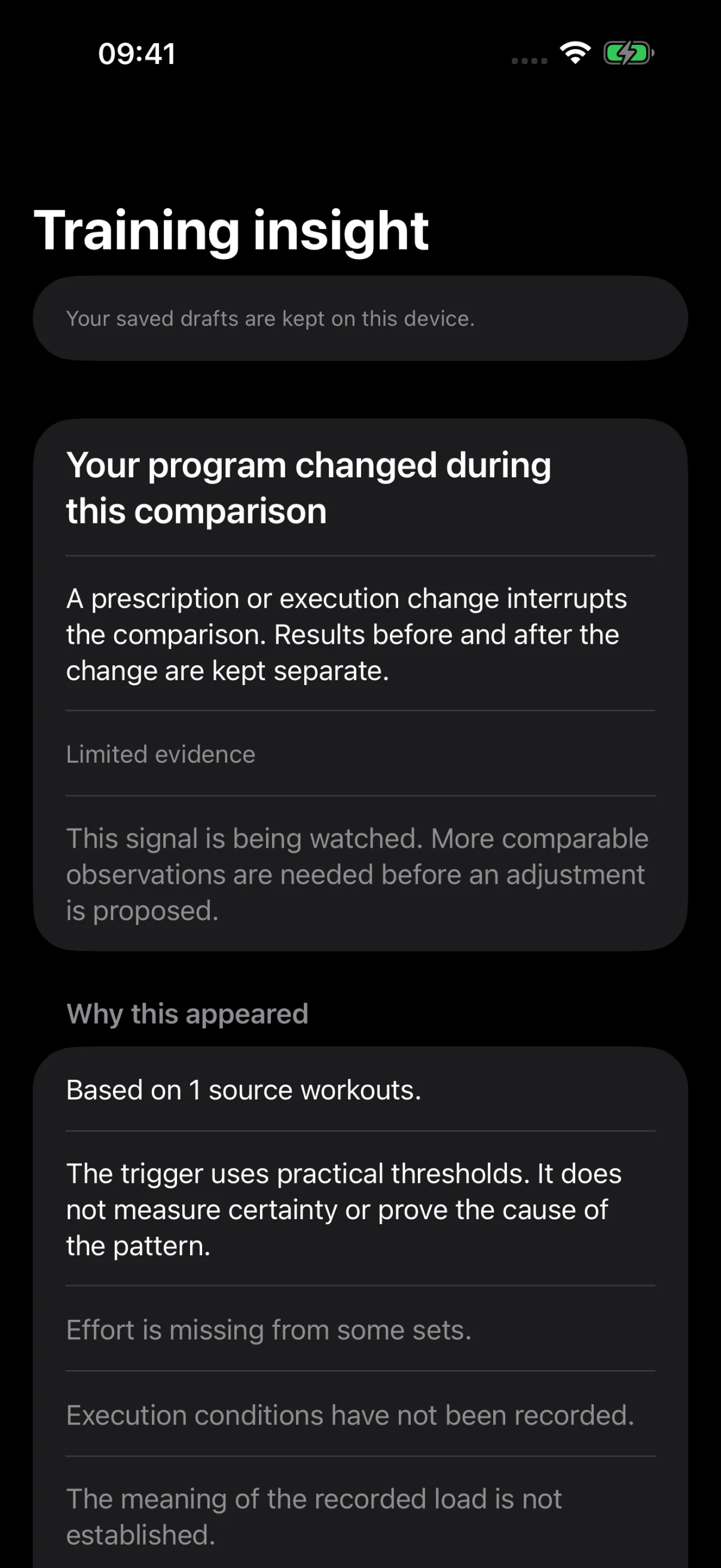
Notice progression opportunities, changes in training volume, and patterns worth a closer look. Explore the recorded evidence behind each observation.
Progression and performance patterns.
Volume balance, recency, and consistency.
Inspect, dismiss, or snooze guidance.
Basic records and weekly facts are included in Free.
Training Assistant uses rules on your iPhone to suggest a next step from your recorded workouts. It can suggest changes to a routine or split, or draft a new split from exercises it can assess.
Free shows one current eligible finding with its evidence.
Pro shows all eligible findings and adds planning tools.
Review, edit, and save only what you choose.
Follow a saved change over time; the result may stay unclear.
A suggestion does not change a routine or split. You inspect the evidence, decide whether to keep the proposal, and save it yourself.
A finding to inspect, with its limits in view.
05 / Muscle Map & Muscle Stimulus Pro
See where your training goes.
Explore estimated muscle training volume across your week. Then look closer at the exercises and individual workouts that contributed.
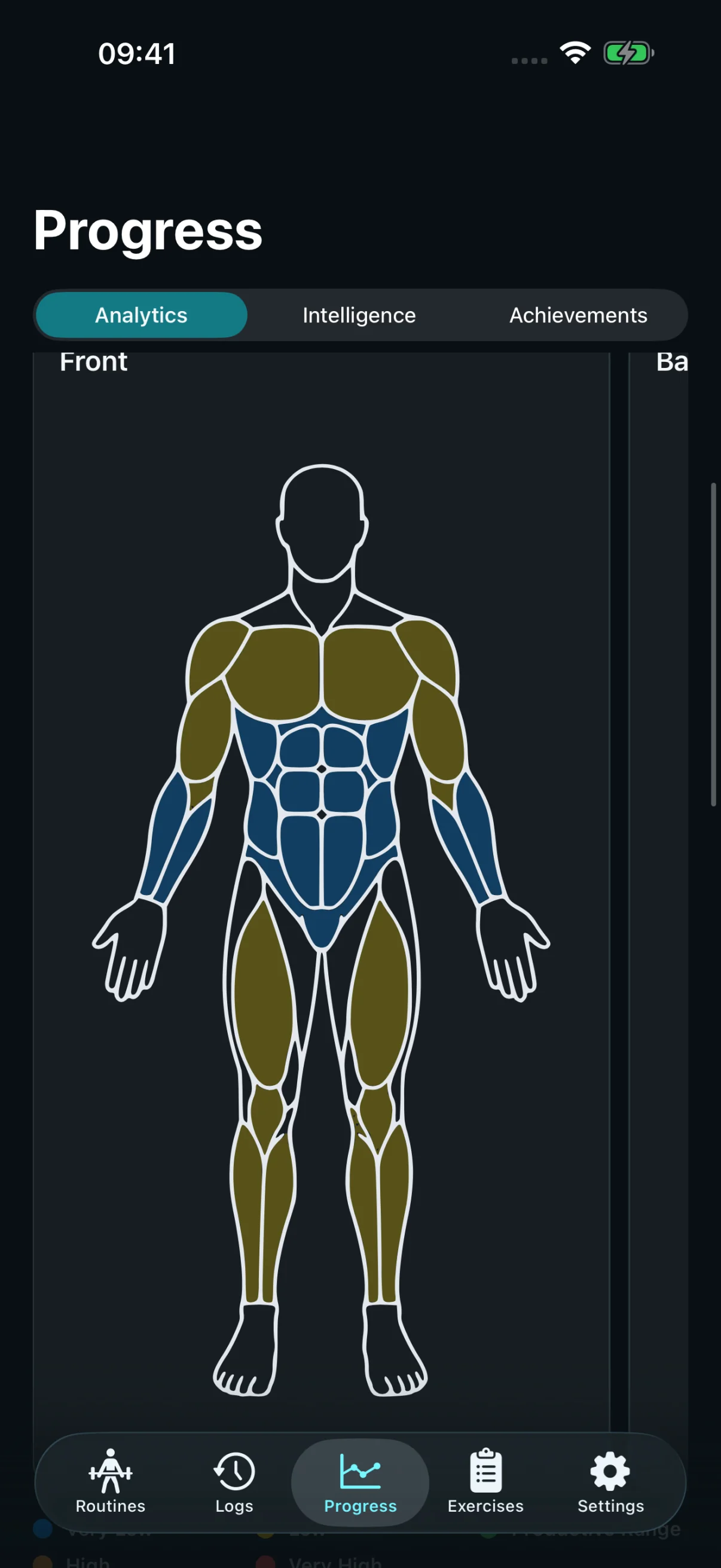
A weekly view across body parts.
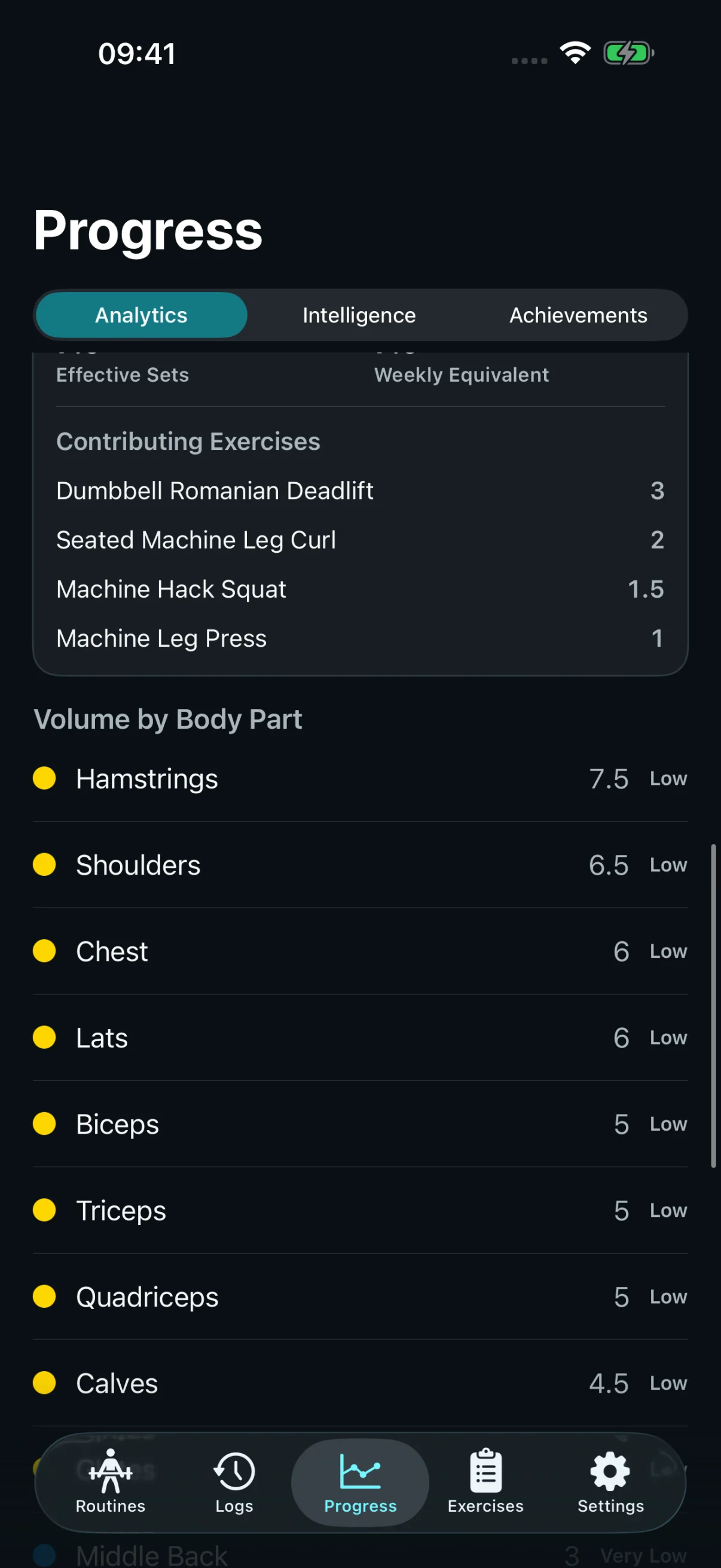
Exercise contributions you can inspect.
Per-workout effective-set estimates.
See the exercises behind the map ↗Pro Trace weekly volume back to the exercises.
Pro See where your weekly training goes.
06 / Weekly Goals, Milestones & Secrets
See your effort become something.
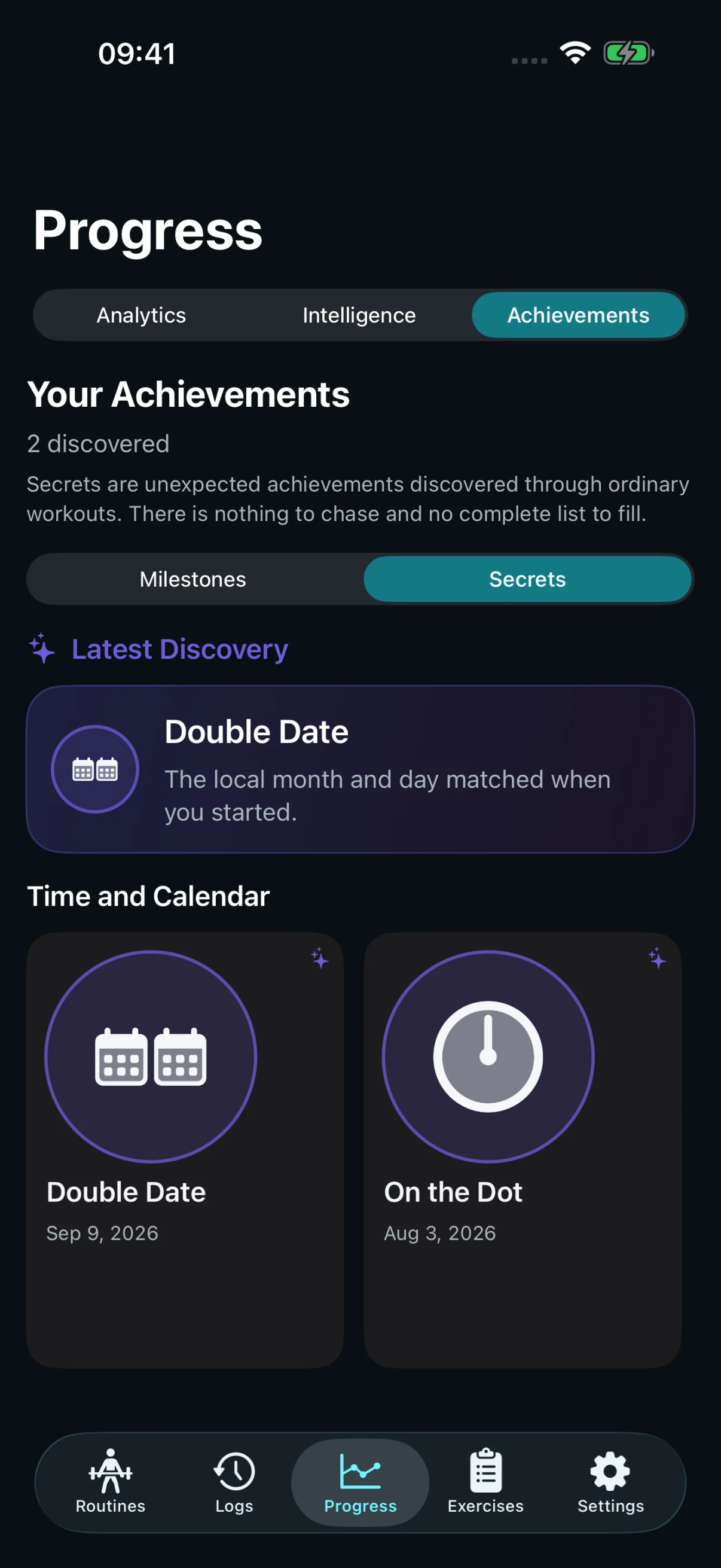
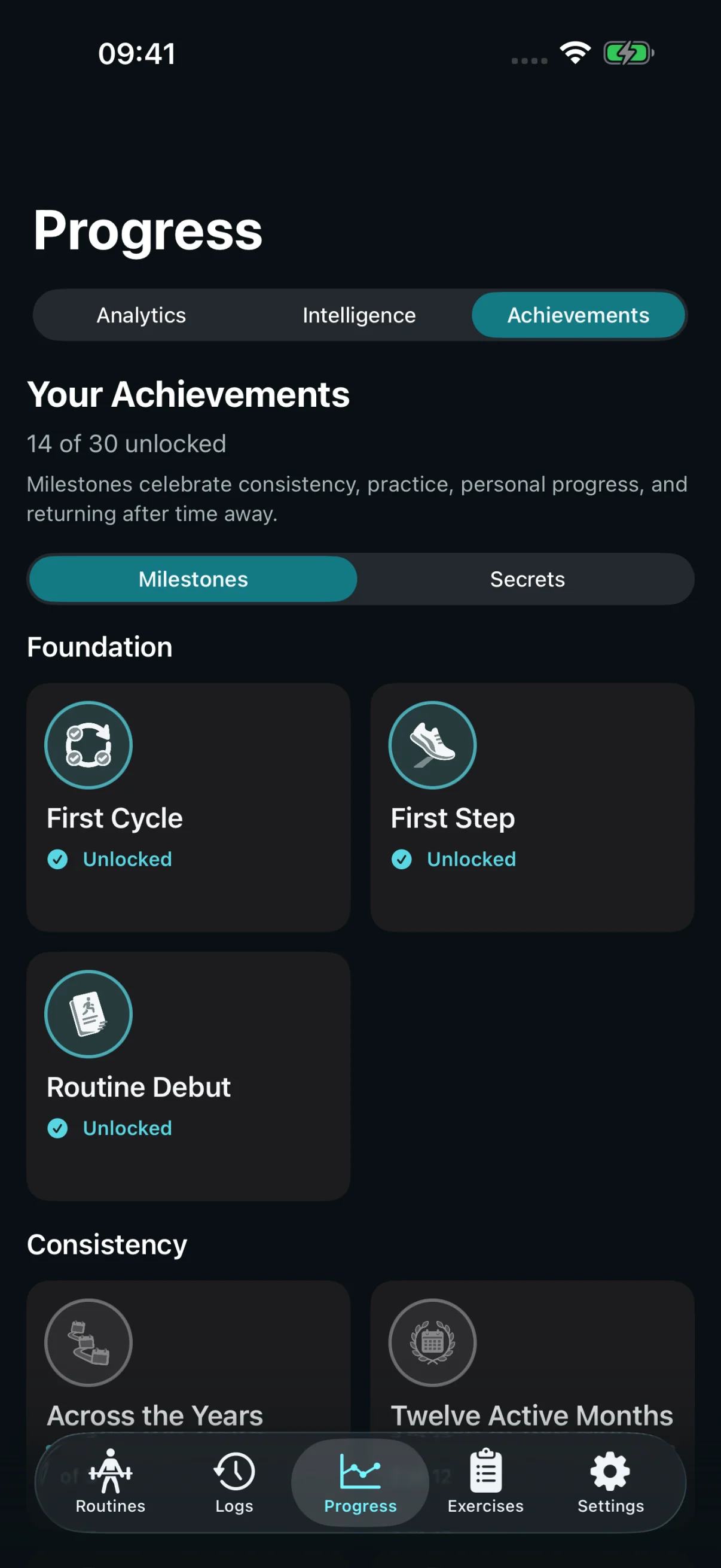
Follow your weekly plan, recognize milestones built over time, and discover a few surprises through ordinary training.
Weekly Goals follow your active split.
Milestones recognize the work over time.
Secrets and shareable achievements add personality.
Discover a Secret ↗ A few surprises along the way.
Watch the effort add up.
The small things matter, too
Less friction. More training.
Find your next movement
1,000+ built-in exercises
Common & Recent collections
Body-part & equipment filters
Exercise setup instructions
Custom Exercises
Share routines; import or export editable routines and splits
Stay in the session
Fast Set Entry
Rest Timer
Live Workout on supported Lock Screen & Dynamic Island surfaces
Exercise Reminders
Session Notes
Resume Workout
Keep what worked
Quick Workout
Routine Updates
Save a Quick Workout as a routine
Workout History
Personal Records
Workout Highlights
Make it yours
Unit preferences
Light & dark appearance
Optional Apple Health export
Optional Workout Map
Export Backup & Restore from File — no account needed
Optional cloud backup history
Stedevo Pro
More insight. More room to grow.
Guidance from your history. Detailed muscle analysis. Unlimited routines and custom exercises. Put more of your training to work.
Yes. Workout logging, your saved history, the full built-in exercise library, Personal Records, and achievements are included. Free supports four working routines and ten usable custom exercises.
Do I need an account or an internet connection? +
Core planning, logging, history, and the analysis included in your plan work offline without an account. Export Backup and Restore from File are also available without an account. A file stored with a cloud file provider may need a connection to download. Account backups and purchases or purchase restoration require a connection.
Can I start without building a program? +
Choose one of five Starter Programs, begin a Quick Workout, or create a routine from the Routines section. The new routine flow lets you keep it unassigned, add it to an existing split, or create a split.
What does Pro add? +
Pro adds Training Intelligence, weekly muscle volume and per-workout Muscle Stimulus, plus unlimited working routines and custom exercises. The separate Training Assistant offers one current evidence-backed finding on Free and all eligible findings with planning tools on Pro. See every plan difference, including optional cloud backup history, in the comparison.
How does Apple Health work? +
You can choose a profile import and opt into workout export separately. Stedevo does not continuously synchronize both ways with Apple Health. You can keep logging without Health access.
How do backups work? +
In the iOS app, everyone can use Export Backup to save their current data and Restore from File to recover it, without a Stedevo account. Restoring replaces the app’s current data after you review and confirm it. Save a copy outside your phone for device-loss recovery. The file contains personal data and has no password. Optional account backups store cloud snapshots; Download on the website saves an existing snapshot, and restoration happens in the app. Backups do not continuously merge data across devices.
Make the next workout count
Get Stedevo for iPhone
Plan your training, log every set, and see your progress.
Apple and the Apple logo are trademarks of Apple Inc., registered in the U.S. and other countries and regions. App Store is a service mark of Apple Inc.