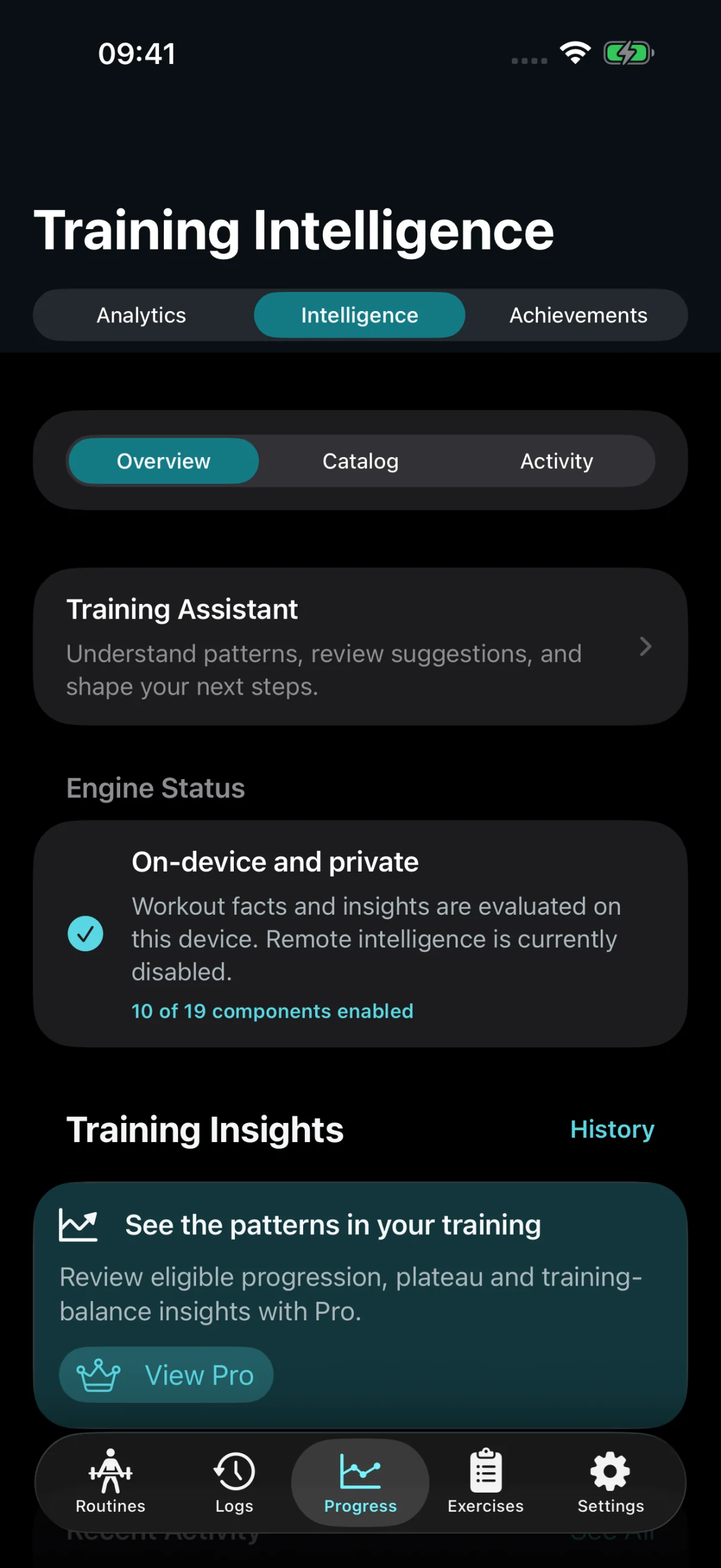
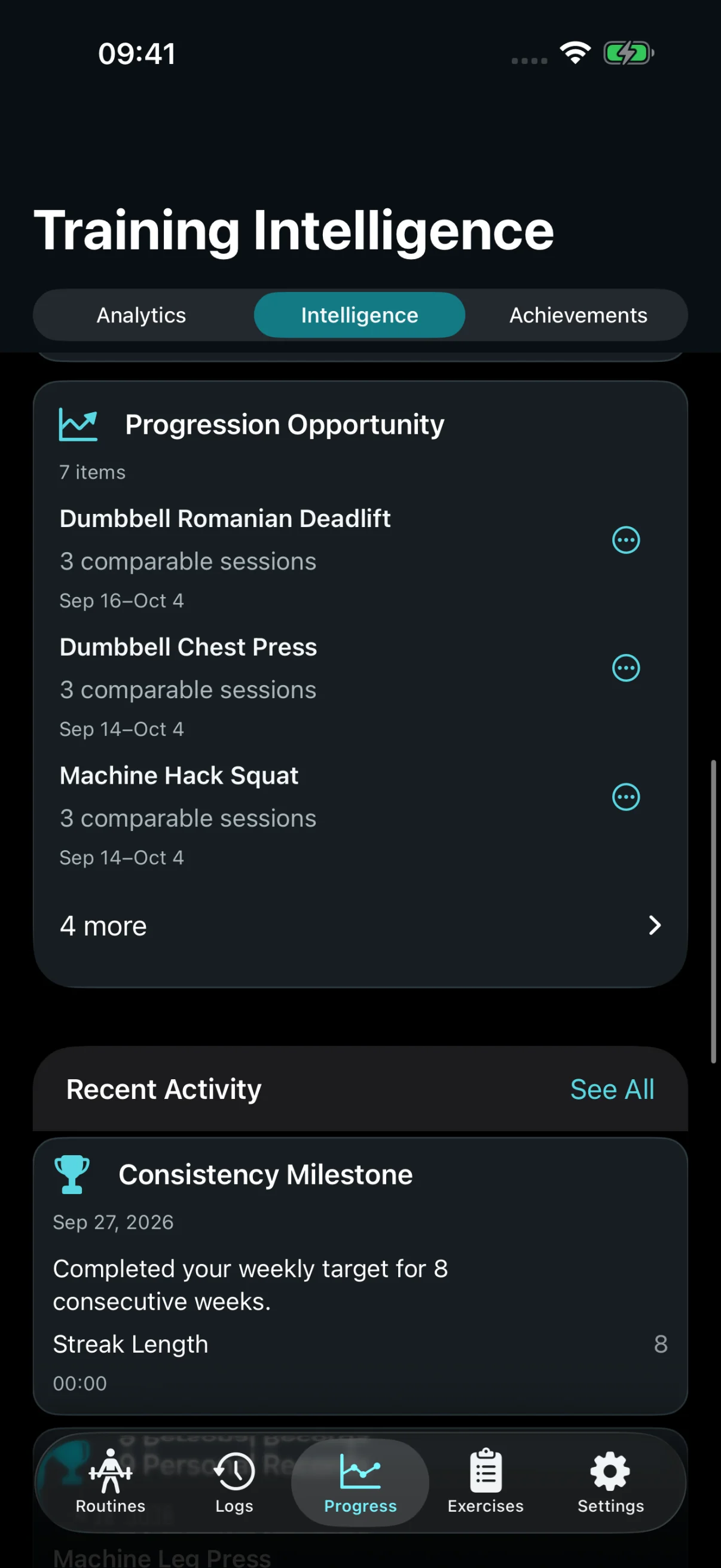
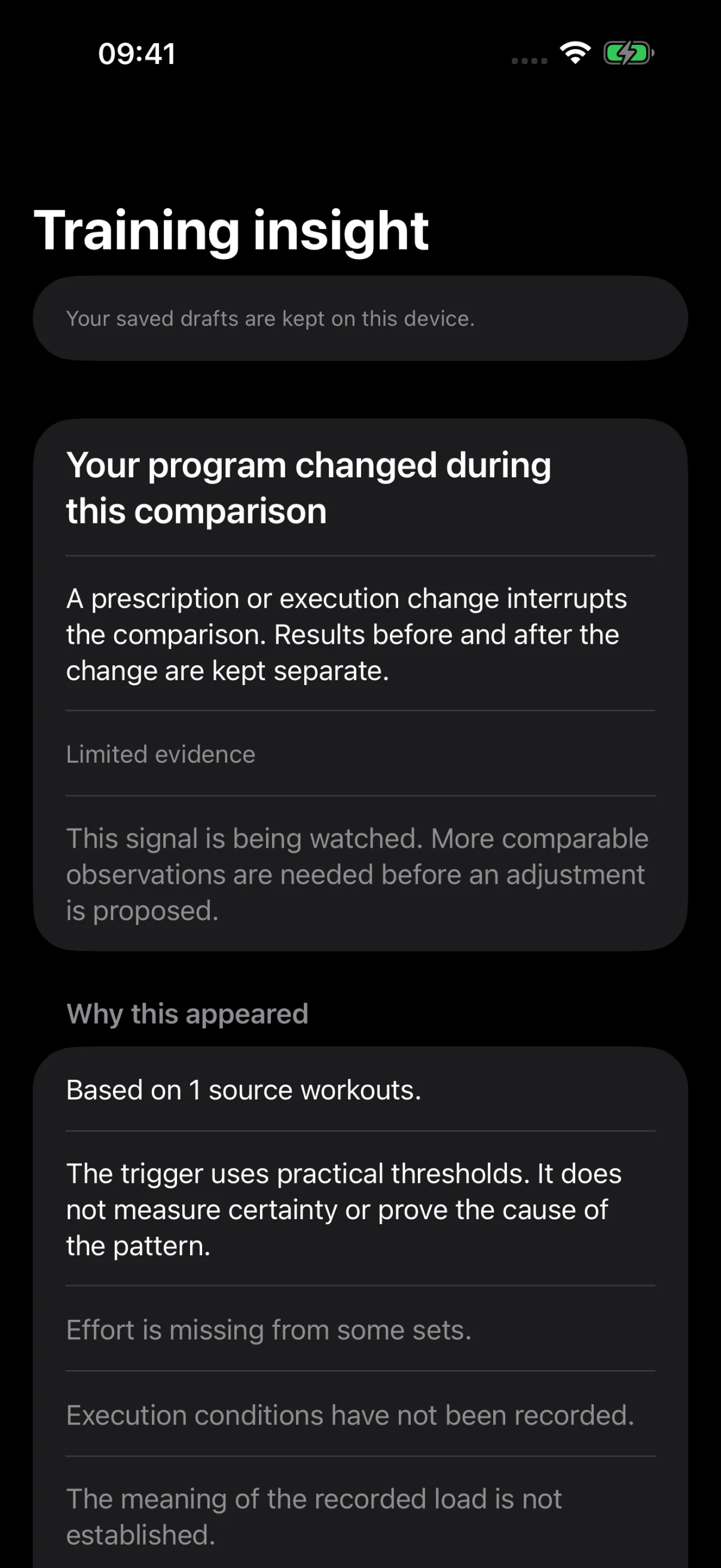
Free keeps your weekly facts and personal records in view. Pro adds progression opportunities and training patterns, with the recorded evidence behind them.
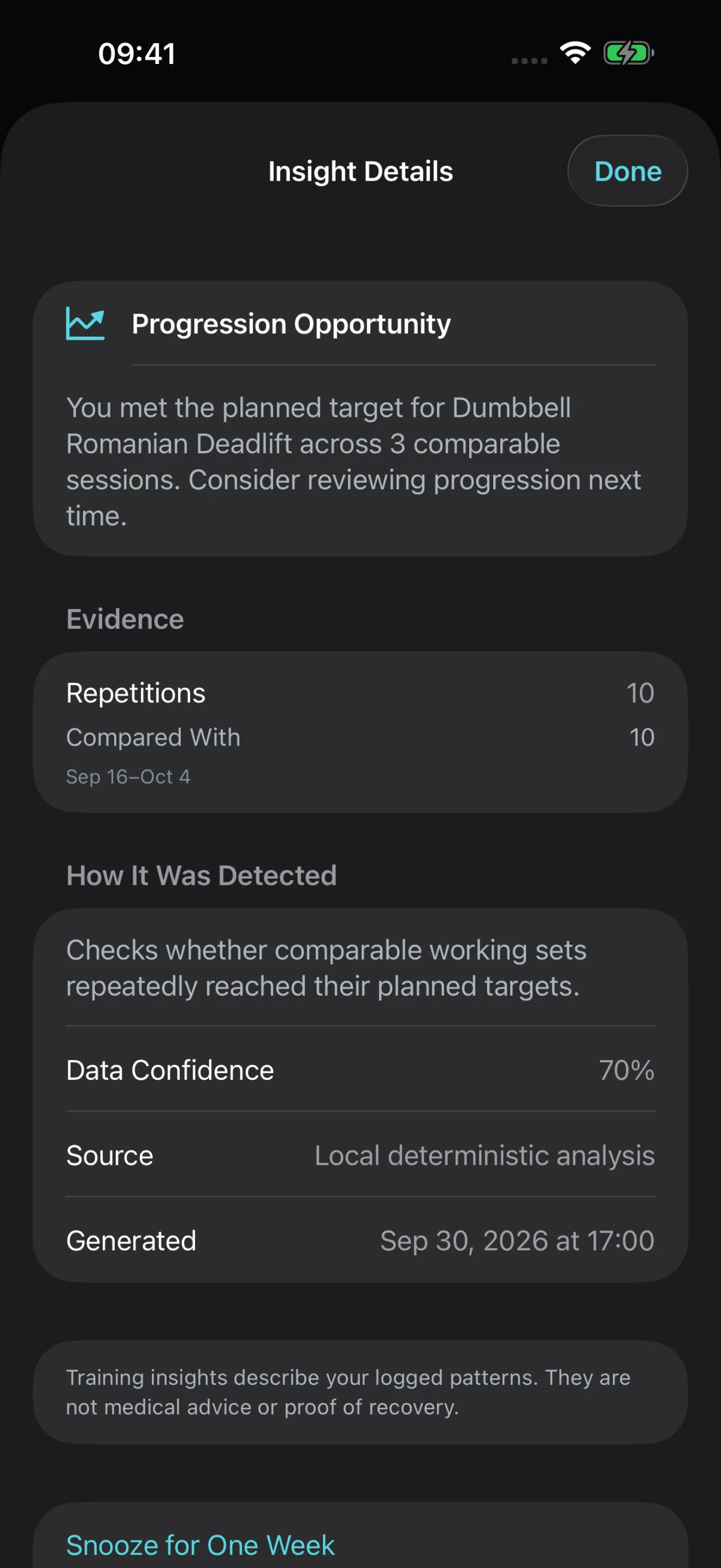
↗ Met your targets across comparable sessions? Open the observation and see the sets that support it.
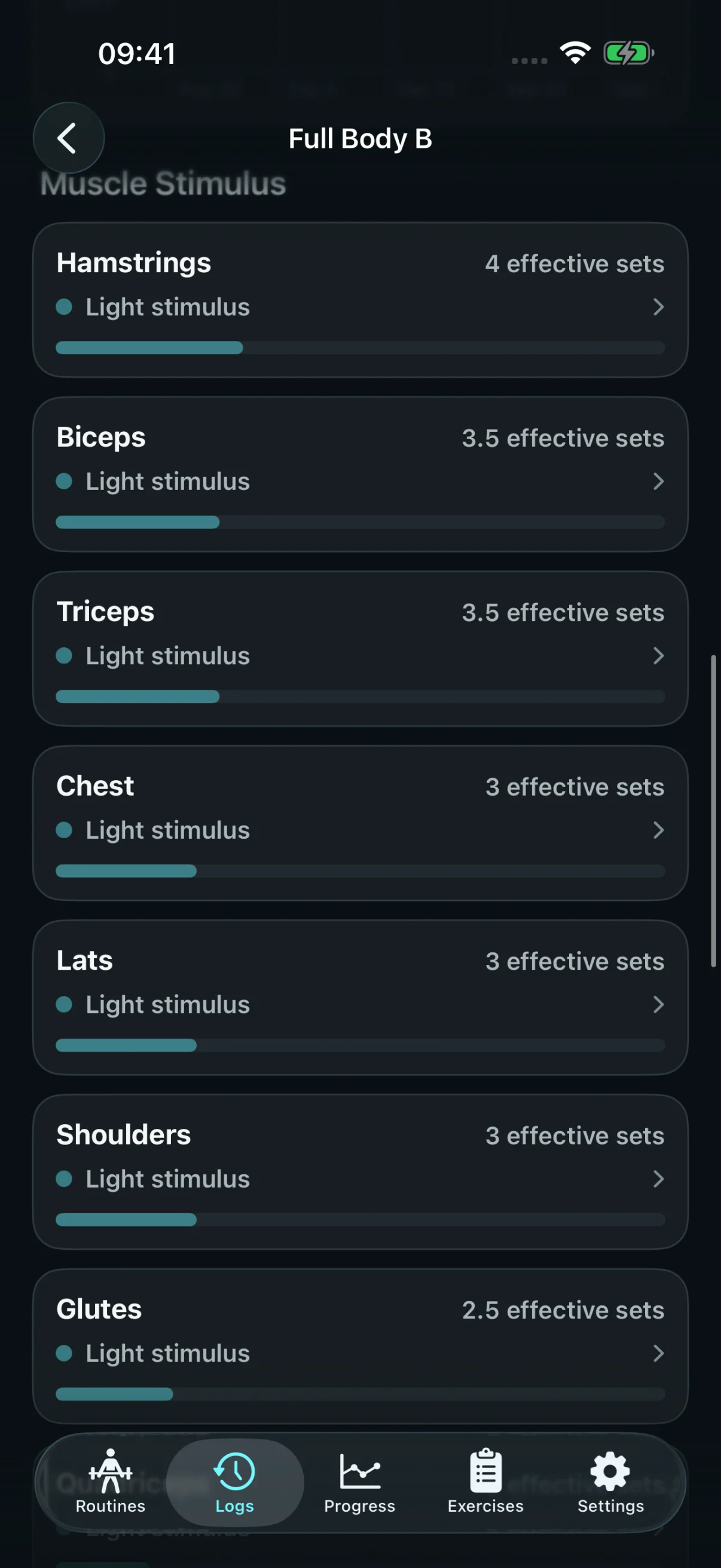
App screens with sample training data. Selected images adjusted for dark appearance.
Pro See why an insight appeared.Pro Understand what this workout contributed.
Training Assistant · Free preview
See the finding and its limits.
Free includes one current eligible finding with its evidence. This example flags a program change and keeps its limited-evidence caveats in view.
A finding to inspect, with its limits in view.
Find your fit
Get the whole Pro package.
Training Intelligence explains patterns in your history. The separate Training Assistant offers evidence-backed routine and split suggestions that you choose whether to review, edit, and save.
Stedevo Free and Pro: the differences
What you can do
Free
Pro ✦
What Pro adds
Advanced Training Intelligence guidance
—Not included
✓Included
Weekly review
Basic facts
Facts + eligible guidance
Training Assistant · eligible findings
One current eligible finding with evidence
All eligible findings
Review, edit & save routine/split suggestions · generate new splits
—Not included
✓Included
Weekly muscle volume — Muscle Map
—Not included
✓Included
Per-workout Muscle Stimulus
—Not included
✓Included
Working routines
Up to 4
Unlimited
Usable Custom Exercises
Up to 10
Unlimited
Cloud backup historyOptional account recovery, where available+
Stedevo account backup allowances where enabled
What you can do
Free
Pro ✦
Account backups · where available
Cloud recovery snapshots Pro keeps recent snapshots spaced across daily and weekly history when available. Exact dates depend on successful backups.
1 latest snapshot
Up to 3 snapshots
Your account shows the snapshots currently available. Their dates depend on successful backups. Export Backup and Restore from File in the iOS app are included for everyone without a Stedevo account.
Everyday essentialsIncluded in both Free and Pro+
Features included in both Stedevo plans
What you can do
Free
Pro ✦
Your everyday training
Export Backup & Restore from File in iOS No Stedevo account required. Save and manage your own files.
✓Included
✓Included
Workout logging, Quick Workout & Workout Memory
✓Included
✓Included
Fast Set Entry, Rest Timer, reminders, notes & Resume Workout
✓Included
✓Included
Saved workout history
✓Included
✓Included
Personal Records
✓Included
✓Included
Full built-in Exercise Library & exercise guidance
Your saved workouts remain. If your libraries exceed Free limits, choose four working routines and ten usable custom exercises. Other entries remain available to view, export, or delete, but cannot be swapped in and out of the active allowance. Pro can reactivate them.
Do Monthly, Annual, and Lifetime include different features? +
They provide the same Pro feature package with different purchase terms. Available options, local prices, and billing details are shown in the app before you buy.
Do I need an account for Pro? +
Your Pro purchase unlocks its core training features on your iPhone. Export Backup and Restore from File are included for everyone without a Stedevo account. Optional Pro cloud history requires an account and a verified linked purchase, where that service is enabled.
Does restoring a purchase restore my workouts? +
No. Restore Purchases restores eligible feature access. Restore your saved training separately from an available workout backup.
What happens to backups when Pro ends? +
Canceling renewal keeps Pro cloud history available through the period you have paid for. After confirmed expiry or another verified loss of Pro access, Free keeps the latest snapshot and older cloud snapshots may be deleted without a recovery grace period. Save any snapshot you want to keep as a file before Pro ends. Compatible files you have exported or downloaded remain restorable in the iOS app without a Stedevo account or subscription.
Does Lifetime cancel an existing subscription? +
No. Manage any existing subscription through Apple separately. Monthly and Annual subscriptions renew according to the terms shown by Apple; Lifetime has no expiry.
How does Training Intelligence work? +
Training Intelligence shows evidence-linked patterns in your recorded history; you can inspect, dismiss, or snooze an observation. The separate Training Assistant uses rules on your iPhone to show one current eligible finding with evidence in Free, or all eligible findings in Pro. Pro also adds review, edit and save tools for routine/split suggestions and split generation from eligible exercises. Nothing changes until you choose to save it.
Apple and the Apple logo are trademarks of Apple Inc., registered in the U.S. and other countries and regions. App Store is a service mark of Apple Inc.